Posts Tagged ‘green screen’
 Virtual Production: Is It Time to Ditch Green Screen?
To be sure, it’s a tantalizing idea. Directors don’t like it. Talent doesn’t like it. And most DOPs like me with more than a few years under our battery belts certainly don’t like it. The truth is, today, with the advent of virtual production, we really don’t need green or blue screen anymore – or at least in quite the same way.
Shooting against a green screen has many drawbacks. There is the lighting imperative, of course, and the need to apply a smooth wash, free of errant shadows and artifacts. Most DOPs also don’t like the blocking limitations, the need to maintain separation between the screen and talent, and the noxious green spill that can sometimes contaminate talent’s hair and wardrobe.
And speaking of talent, actors and presenters often lament the lack of a proper visual context, while directors cite their own frustrations eliciting and evaluating actors’ performances amid a sea of green.
With the advent of virtual production, however, and the preponderance of LED floors, walls, and panels, DOPs can now employ a frame-remapping technique to dispense with, or at least mitigate, the green screen ordeal.
From a historical perspective, film cinematographers have long understood the function of a Phase Shifting Unit (PSU) that enabled film cameras to capture television images free of a visible roll bar. Shooting with the Arri 35 IIC, for example, with a spinning shutter, if the camera operator can see the stationary bar centered in the viewfinder, the film would ‘see’ a clear, unobstructed television image.
Needless to say, in film cameras, a lot happens when the shutter is closed. The film is advanced, pulled along and down by the intermittent movement. In today’s digital cameras with electronic shutters, DOPs can adopt a similar strategy by taking advantage of the camera’s closed shutter interval to eliminate the physical need for a green (or blue) screen on virtual sets.
Pursuing a frame-remapping strategy, the DOP syncs the 50Hz or 60Hz camera to the refresh rate of an LED display to simultaneously capture alternative frames with different content. Current systems vary considerably in setup complexity, requiring gen-lock, synchronizing software, and a matching LED receiver board.
In a typical North American configuration, with the camera set to 60Hz and the LED set to 120Hz refresh rate, the camera is synchronized to capture the alternative ‘B’ frame containing, say, the virtual green screen. The arrangement allows placing talent in front of live video or a even blank screen, thus obviating the need for a physical green or blue screen.
For DOPs working increasingly in virtual production, the potential replacement of LED content in post is a key consideration. Just as most DOPs do not to bake-in a camera LUT on-set, so will most DOPs on a virtual set not want to bake-in the content on an LED. Accordingly, DOPs, utilizing frame-remapping to capture alternative frames and green screen, are afforded a valuable backup and protection against unforeseen changes later in post.
Beyond ridding the set of physical green or blue screen elements, frame-remapping also offers notable operational advantages, including the ability to conceal the floor markings used for talent placement. On large sets containing an LED floor, DOPs can place markers that won’t be visible to viewers. Similarly, on a news set, region-specific backgrounds or captions can be captured and presented in more than one language, or, as is the case on a weather set, a presenter can refer to a script or graphics that will not be visible in the broadcast picture.
Frame-remapping can also enhance the safety of talent and crew on a dark set. By flashing the studio with light synchronized to the closed camera shutter, the additional illumination will not be transmitted or captured to the recording medium. Still, to reduce or eliminate the risk of flicker, DOPs will often quadruple (and not merely double) the refresh rate of the LED displays. Increasing the LED refresh rate in this way produces a notably dimmed, grayish light across the set that provides sufficient illumination for the cast and crew to navigate confidently.
While current software typically limits the number of alternative frames to four or five, the arrival of new software and receiver cards will soon enable synchronized LED displays with a 1000Hz refresh rate, thus enabling even greater capability to capture additional frames.
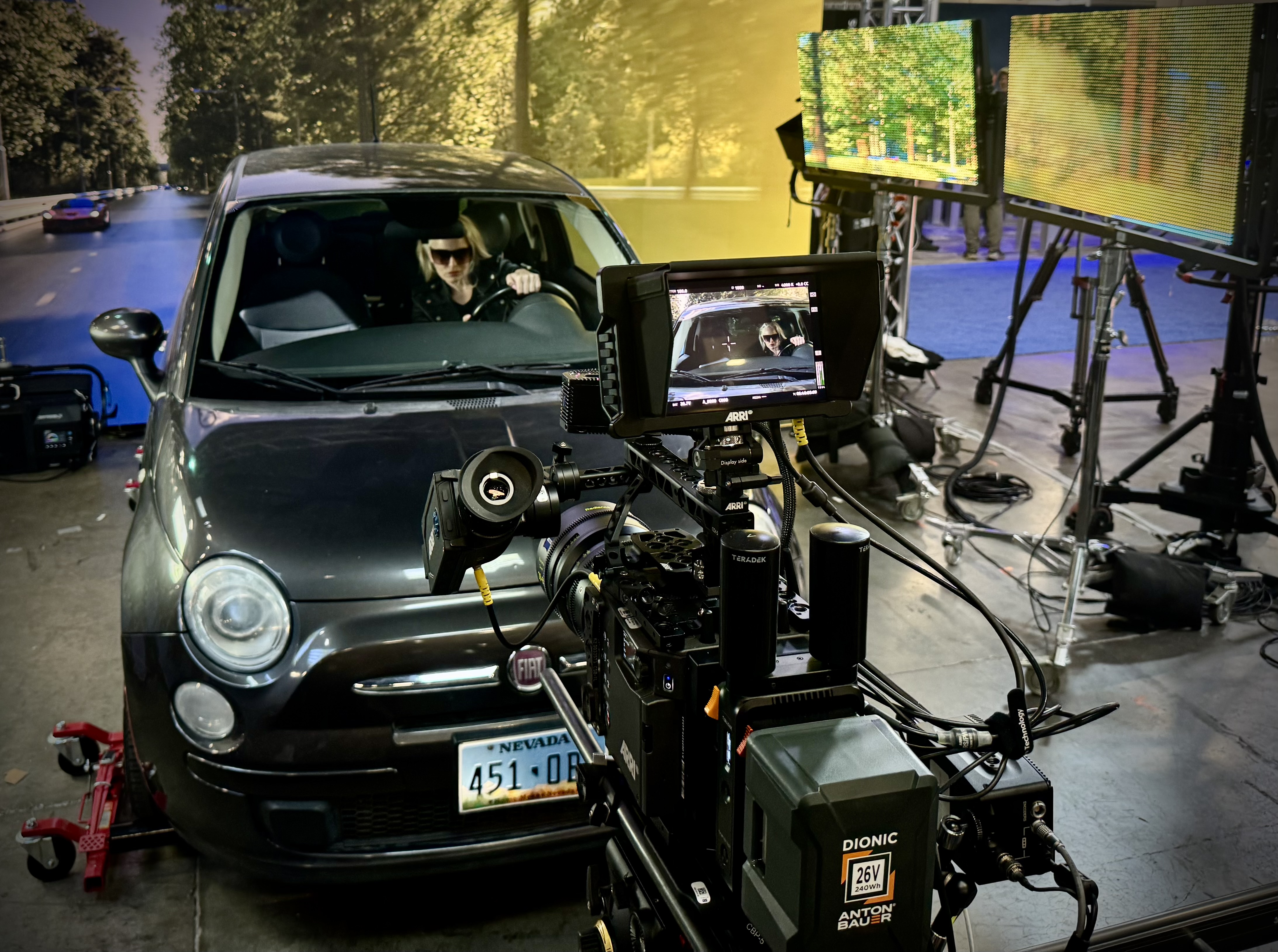
Foregoing traditional green screen, frame-remapping allows the capture of talent or objects in front of live video which can be revised in post. The system requires precision to reduce the risk of flicker and disturbing artifacts.
Do We Still Need Green Screen?
With the advances in artificial intelligence, post-production rotoscope tools are now so good that some DPs are asking if we still need to use green screen at all, or at least, in quite the same way.
Suddenly, it seems any background can be replaced in seconds, allowing DPs to shoot the most complex compositing assignments faster and more economically. Today’s AI-powered rotoscoping tools are powerful and robustl as producers can repurpose a treasure trove of existing footage packed away in libraries and potentially reduce the need for new production or costly reshoots.
In 2020, Canon introduced the EOS 1D Mark III camera for pro sports photographers. Taking advantage of artificial intelligence, Canon developed a smart auto-focus system by exposing the camera’s Deep Learning algorithm to tens of thousands of athletes’ images from libraries, agency archives, and pro photographers’ collections. In each instance, when the camera was unable to distinguish the athlete from other objects, the algorithm would be ‘punished’ by removing or adjusting the parameters that lead to the loss of focus.
Ironically, the technology having the greatest impact on DPs today may not be a camera-related at all. When Adobe introduced its Sensei machine-learning algorithm in 2016, the implications for Dos were enormous. While post-production is not normally in most DPs’ job descriptions, the fact is that today’s DPs already exercise post-camera image control, to remove flicker from discontinuous light sources, for example, or to stabilize images.
In 2019, taking advantage of the Sensei algorithm, Adobe introduced the Content Aware Fill feature for After Effects. The feature extended the power of AI for the first time to video applications as editors could now easily remove an unwanted object like a light stand from a shot.
The introduction of Roto Brush 2 further extended the power of machine learning to the laborious, time-consuming task of rotoscoping. While Adobe’s first iteration used edge detection to identify color differences, Roto Brush 2 used Sensei to look for uncommon patterns, sharp versus blurry pixels, and a panoply of three-dimensional depth cues to separate people from objects.
Roto Brush 2 can still only accomplish about 80% of the rotoscoping task, so the intelligence of a human being is still required to craft and tweak the final matte.
So can artificial intelligence really obviate the need for green screen? In THE AVIATOR (2004), DP Robert Richardson was said to have not bothered cropping out the side of an aircraft hangar because he knew it could be done more quickly and easily in the Digital Intermediate. Producers, today, using inexpensive tools like Adobe’s Roto Brush 2, have about the same capability to remove and/or rotoscope impractical objects like skyscrapers with ease, convenience, and economy.
For routine applications, it still makes sense to use green screen, as the process is familiar and straightforward. But the option is there for DPs, as never before, to remove or replace a background element in a landscape or cityscape where green screen isn’t practical or possible.
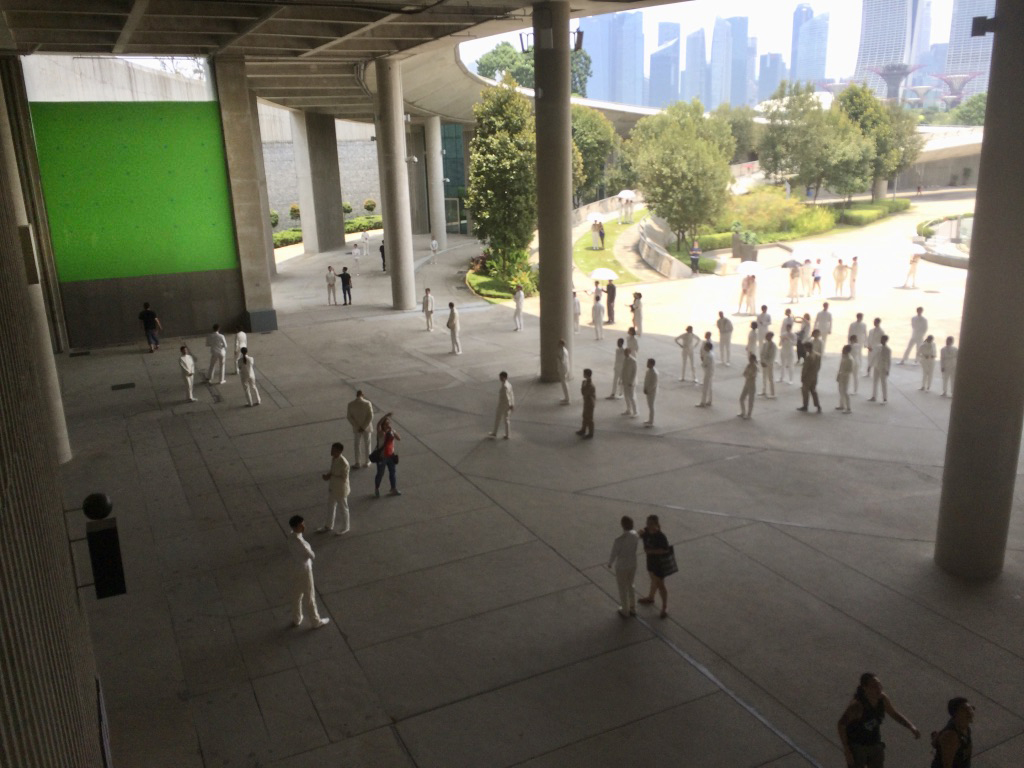
Can AI-powered rotoscoping tools like Adobe’s Roto Brush really replace green screen? Some DPs think so, especially in complex setups such as many cityscapes.

Roto Brush has learned to recognize the human form, and is thus able to isolate it, frame by frame, from a background. But even with the power of AI, Roto Brush still requires some human input.
[Screenshot from CM de la Vega ‘The Art of Motion Graphics’ https://www.youtube.com/watch?v=uu3_sTom_kQ]
.